Every Member. One Platform. Zero Gaps.

Buzops gym member management software tracks every member from the moment they sign up online to the day they renew. Digital waivers, automated billing, QR and barcode check-in, self-service portals, family accounts, and lead-to-member conversion — all in one platform. No separate tools. No manual data entry. No gaps in your member data.

Member management that actually works at scale

Most gym software gives you a member database. Buzops gives you a full operating system for your member base — from the first form fill to check-in number 500. Every action is tracked, every process is connected, and your team spends less time on admin and more time on the floor.

  • Online sign-up with built-in waivers — members complete everything before they arrive
  • Automated access on payment — door unlocks the moment billing clears, no manual step
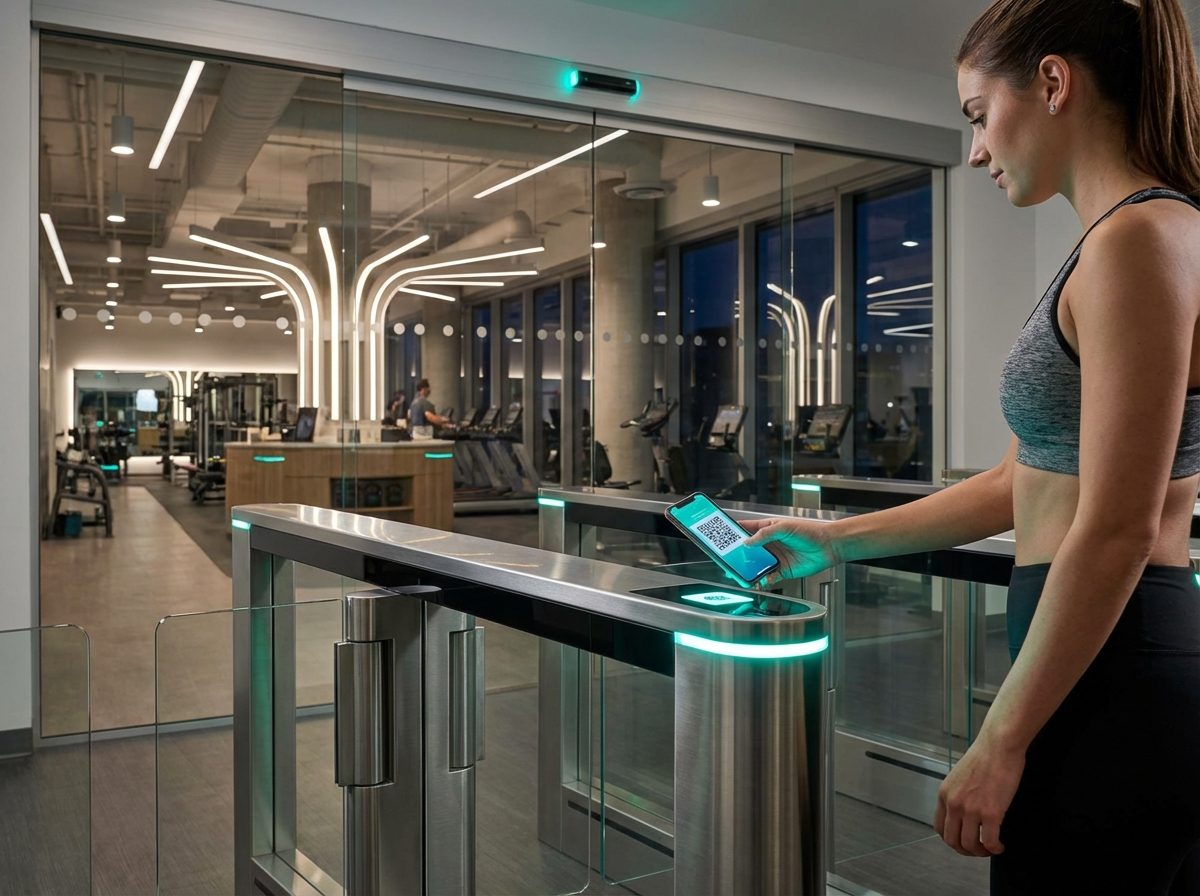
  • Full check-in history — QR, PIN, barcode, or key fob, all logged automatically
  • Self-service member portal — freeze, pause, or change plans without calling in
  • Family billing — one account, multiple members, single payment
  • Electronic waivers for minors — parent-signed, stored, and retrievable in seconds
Start Free Trial →
Buzops member management — access control and check-in dashboard

Every Feature Your Member Operations Need

No add-ons. No separate modules. Everything you need to run a tight member operation — included in Buzops.

Online Sign-Up with Waivers

Customizable sign-up forms collect member info, emergency contacts, health disclosures, and signed waivers in one flow. Members complete it from their phone before they walk in the door.

Automated Access on Payment

The moment a billing event clears, access is granted automatically. No staff action required. If a payment fails, access is suspended. Everything is connected and instant.

QR, PIN & Barcode Check-In

Members check in via QR code on their phone, PIN pad, barcode scan, or key fob. Every visit is logged with a timestamp. Attendance trends visible at a glance — by member, by day, by class.

Self-Service Member Portal

Members freeze memberships, pause billing, or switch plans directly from their account — without calling the front desk. You set the rules. They execute within them.

Family Billing & Linked Accounts

Group multiple members under one billing account. One payment, one invoice, one relationship to manage. Different plan types per family member — PT, group access, day pass — all on the same account.

Electronic Waivers for Minors

Parent or guardian signs digitally. The completed waiver is stored against the member profile and retrievable in seconds. No paper, no filing cabinets, no liability gaps.

Lead Tracking & Conversion

Capture leads from your website, QR codes, and social — then track every touchpoint through to membership. See exactly where leads drop off and fix it. Works directly with Automation.

Automated Follow-Up Sequences

SMS and email follow-ups fire automatically after sign-up, missed check-ins, billing failures, and membership expirations. Retention runs on autopilot. See full Automation workflows.

The self-service portal changes everything at the front desk

Most member management tools require staff to process every freeze request, plan change, and billing pause. That eats 30–60 minutes per day at a busy gym. Buzops puts that control in the member's hands — within rules you define.

You decide what members can change and when. They execute it themselves. Your front desk handles what actually matters: selling PT, welcoming new members, and managing the floor.

  • Freeze limits — set max freeze durations per membership type
  • Billing pause windows — restrict pauses to specific time frames if needed
  • Plan change rules — control which plans members can upgrade or downgrade to
  • Full audit trail — every self-service action is logged with timestamps
See It in Action →
Member Portal — Live Example
Sarah M. — Premium Membership Active since Jan 12, 2024  ·  47 check-ins
Freeze membership
Pause billing
Change my plan
Update payment method

How It Works

From your first lead to your 500th check-in. Three steps, zero gaps.

1

Member signs up online

Your sign-up page collects everything — membership selection, billing details, emergency contacts, health disclosures, and a signed digital waiver. Done before they ever walk in. No paperwork at the front desk. No data entry for your staff. The moment billing clears, access is live.

2

Access activates automatically

Buzops connects billing directly to entry permissions. Paid = access granted. Payment failed = access suspended, member notified, self-service fix available. Works with QR codes, PIN pads, barcode scanners, and key fobs. Every check-in logged. Every trend visible. No staff needed.

3

Retention runs on autopilot

Buzops watches the member lifecycle and acts. Missed check-ins trigger re-engagement. Expiring memberships trigger renewal sequences. Failed payments trigger dunning workflows. Your job is to keep the quality high. Buzops keeps the systems running. See Automation and Payments for the full picture.

★★★★★
"We switched to Buzops and within the first two weeks our front desk stopped handling freeze requests completely. Members do it themselves. The check-in data alone changed how we schedule staff. And we added $225K in PT revenue in 90 days because the lead tracking actually showed us where we were losing people."
Andy Gundlach Owner, Anytime Fitness  ·  Multi-location operator
+$225K PT revenue in 90 days

Common Questions

Can members sign up entirely online without visiting the gym?

Yes. The sign-up flow handles everything — membership selection, billing details, emergency contacts, health disclosures, and waiver signing — all digitally. When a new member shows up, they're already in the system, their payment is set, and their access is active. No paper, no manual entry, no front desk bottleneck.

What check-in methods does Buzops support?

QR code on the member's phone, PIN pad, barcode scan, and key fob — all supported. You can run multiple check-in methods at the same facility. Every check-in is logged with the member, time, and method used. Attendance history is visible per member and in aggregate for your whole facility.

How does family billing work?

One primary account holder covers billing for the whole family. Each family member gets their own profile, membership type, and check-in history. One invoice, one payment, one relationship to manage. You can also set different plan types per family member — one on PT, one on group access, one on a day pass — all under the same household account.

What happens if a member's payment fails?

Access is automatically suspended when a payment fails past your configured grace period. The member gets notified, they can update their payment method through the self-service portal, and access is restored the moment billing clears. No staff intervention needed. You can customize grace periods and dunning sequences to match how you want to handle failed payments. See Payments & Billing for full details.

How are minor waivers stored and retrieved?

Parent or guardian-signed waivers are stored as PDFs against the minor's member profile. They're retrievable in seconds from the member record. No paper, no filing, no risk of a document going missing when you need it. Every waiver includes a timestamp and the signatory's identity, so you're covered if it ever comes up.

Your member management shouldn't require manual effort

Try Buzops free for 30 days. Free migration, free onboarding, no contract. Get your members managed the right way from day one.

Nova
Online now